Robin Good: PhotoMotr is a Facebook application that allows users to quickly create a music video from images that are available inside their Facebook Account.
You can add a music track from a set of pre-selected choices, add text titles, transitions and finally publish to your Facebook timeline.
There app provides a simple video editor that allows you to easily move around images, transitions and titles.
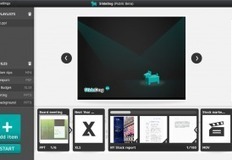
Robin Good: SlideDog is a Windows PC-only downloadable software which allows you to assemble a seamless slideshow that is made up by multiple presentations as well as from files coming from different apps, including PDFs, videos and images.
With SlideDog you can use playlists to play multiple slide shows one after the other. You can also add other files and media such as videos, web pages, Presi presentations, spreadsheets and documents. A playlist can also be saved to disk for easy playback at a later time.
Key features:
1) Support for PowerPoints, PDFs, videos, Prezi presentations, web pages, excel spreadsheets, word documents, flash animations and images.
2) SlideDog plays the files included in the playlist by using the most appropriate tools available. Some of the files will be played directly by SlideDog, while others will be played through an external application such as PowerPoint or the PowerPoint Viewer, though it will seem to viewers as all these files are played by one application. To achieve this SlideDog launches the files in the playlist in fullscreen without displaying the computer desktop or application specific loading screens to the viewers.
3) SlideDog uses a PowerPoint like multi-monitor output to provide meta information to the speaker during the presentation. It is able to show a normal presentation window on one screen, while showing an overview on the other one providing information like thumbnails of the next slides, slide notes and timers.
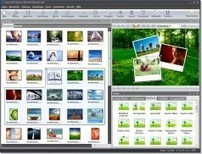
Robin Good: SlideshowforYouTube is a free Windows PC software that allows you to create your own automated slideshow, with your favorite photos and your selected music background track.
SlideShowforYouTube comes equipped with a number of ready-made templates, support for 16:9 and HD (Pro version), and it can automatically encode and upload your finished production to your YouTube account.
The Pro version also allows to add your own voice-overs, and to benefit from a plethora of visual effects and transitions.
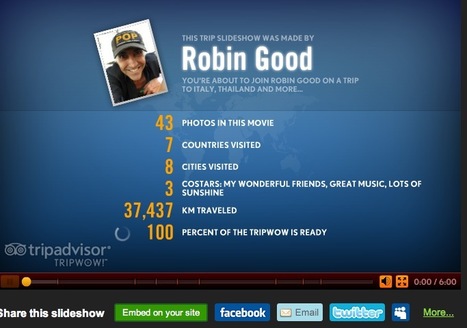
Robin Good: This has got to be one of the most fun ways to create a great holiday vacation memories slideshow with music and animation, I have ever seen so far.
Bingo.
Hats to TripAdvisor for having created a fantastic viral marketing machine that creates great shareable content that looks great, makes users happy and carries the TripAdvisor brand in a thousand more directions.
Here's how it works:
1) Set titles and co-stars
2) Upload your favorite pics from world destinations from Flickr/Picasa/your own folders.
2) Tag each photo with a world location and an optional caption. Rotate, drag and reposition anywhere you want.
3) Assign a music track to each world destination or upload your own mp3s.
4) Select an animated theme for your slideshow.
5) Preview, edit, refine, publish.
The final slideshow, which looks fantastic, can be shared on all major social networks, can be embedded on any site or published to your Wordpress or Tumblr blog.
Finally you can even save a copy of it, as long as at least 10 people have already watched it.
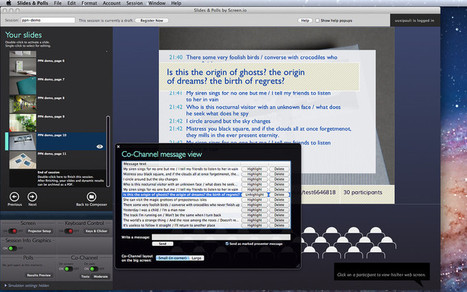
Robin Good: If you are looking for an innovative Mac app that allows you to fully engage and wow your audience in your public presentation, you should give a look to Slides & Polls by Screen.io.
This new app turns a regular slideshow into an interactive online session that can be easily shared to all of your participants screens (computers and mobile devices).
Key features include the ability to add interactive polls and show the results with live updates, or to open a discussion channel so that your audience can talk back during the presentation – fully controlled by you, of course.
How does it work? You prepare your slides in the app of your choice (e.g. PowerPoint or Keynote) and then you import them into Slides & Polls while adding interactive elements.
"Participation happens on the web. Anyone in your audience can join in by opening her smartphone or laptop and going to the presentation’s website. From there on, you decide what’s shown on their screens. It can be slides, text, links, polls, questions…"
Key Features:
• Each presentation gets a web address • Presenter’ screen with full control • Unique Practice Mode with simulated participants • Automatic session archiving
• Import slides from PowerPoint, Keynote, etc. • Import picture and movie files • Create editable slides • Add live polls and results
• Live web content: audience will see your slides on their smartphone screens • Attach special interactive content to slides that’s visible on the web (Slide Notes) • Co-Channel: a discussion forum for your audience where you call the shots • Show co-channel on projector screen and/or on the web, switchable any time • Highlight and moderate co-channel messages
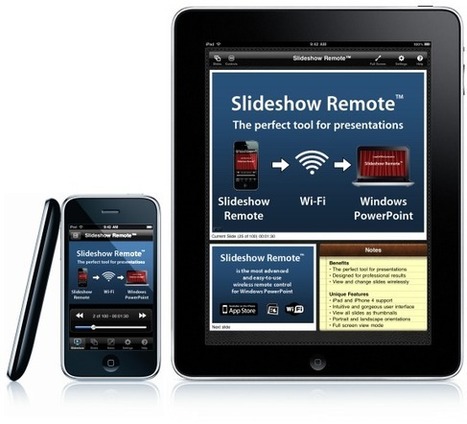
Robin Good: Slideshow Remote is a mobile app optimized for iPhone/iPad capable of controlling and delivering your PowerPoint presentation with or without the support of a desktop computer.
Key features:
Download slides and notes to your device
Displays current and next slide
Next, previous, first, last slide
Slider to reach any slide
Blank the screen
Timer
New offline viewer to present without a PC
Open menu to switch between active presentations
External VGA display support (iPad and iPhone 4)
See all your slides as thumbnails
Supported Windows Apps:
Windows PowerPoint 2003/2007/2010 Adobe Acrobat, MS Word and Excel Internet Explorer, Firefox, Chrome, Safari Open Office
N.B.: Slideshow Remote works best with Windows PowerPoint but can also control any application that supports page up & page down keys.
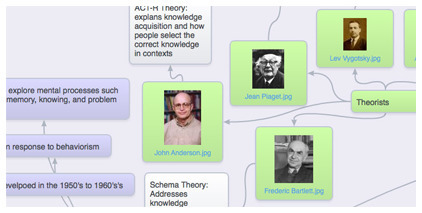
Robin Good: SpiderScribe is a new web-based mindmapping tool which allows you to easily connect notes, images, files, events and even geographic locations.
Robin Good: A great new downloadable app allows you to shoot micro-video clips of a second or less and to have them instantly transformed into publishable images called cinemagrams.
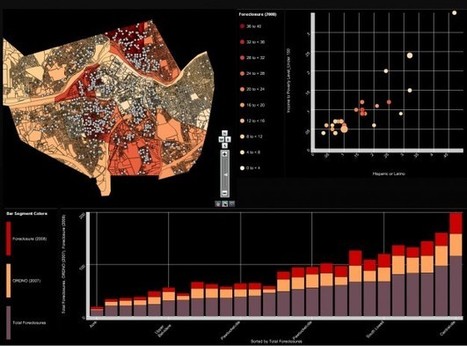
"Weave (BETA 1.0) is a new web-based visualization platform designed to enable visualization of any available data by anyone for any purpose.
Weave is an application development platform supporting multiple levels of user proficiency — novice to advanced — as well as the ability to integrate, disseminate and visualize data at "nested" levels of geography."
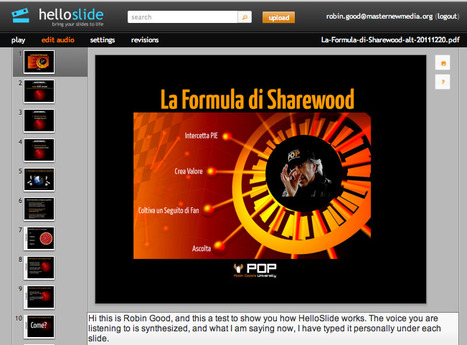
Robin Good: HelloSlide is a web-based service which allows anyone to upload a PDF (max 100MB) and add a voice-over track to it by simply adding a text copy of what needs to be said on each slide.
HelloSlide does the rest by generating a good quality voice over by utilizing synthsized digital voices that automatically read your script slide after slide.
Not only. By leveraging this type of approach HelloSlide can make your presentation available in over 20 languages instantly and by providing a full text transcript with the presentation there may be also some SEO benefits, as search engines can tell now precisely what you are talking about in those slides.
The free plan allows about to 50 presentations.
The Pro account which costs $9/mo allows up to 200 presentations, an export-to-video function as well as the ability to auto-translate to other languages. The Premium at $39 extends the numbers of presentations, auto-translations and throws in 10 human-voiced translations per month.
Robin Good: Here is a great app for visual communicators, presenters and web publishers working on the Mac.
Captured is a simple screen-capturing utility which automatically uploads any screenshot you make to your preferred cloud storage service (including free one imgur.com), and instantly copies the "uploaded image" link to your clipboard.
Cloud storage services supported: Imgur, Dropbox, Amazon S3, or your own FTP server space.
As an additional useful feature, Captured keeps a full visual history of all the screenshots you have taken, facilitating the task of finding older screen grabs.
Robin Good: Tagxedo is a great, free web-based tool that allows you to create stunning covers, images for articles or posters, based exclusively on words.
You can either input the words yourself, or provide a website URL, a Twitter account, a news or web search and Tagxedo will create a "word cloud" by tapping into that word "universe".
There dozens of different controls to customize your word-art creations including the ability to change layout, fonts, colors, shapes and even density of your artwork.
The final work can be shared easily on social media or saved in your preferred graphic file format (jpg or png) and at your desired resolution.
Robin Good: I definitely had the sensation while using my iPhone add cinemagr.am, that this was not just another toy app. The beauty and the challenge that the creation of cinemagraphs (animated GIFs) presents, opens up a world of fascinating possibilities for those who are involved with visual communication.
Animated GIFs, which have been around since way before the Internet took actually place (1987), have recently seen a huge comeback as new tools, applications and innovative uses have highlighted new cool uses.
This nice video from PBS illustrates a bit of the history of animated GIFs and why they are coming back to candidate themselves as a new art form.
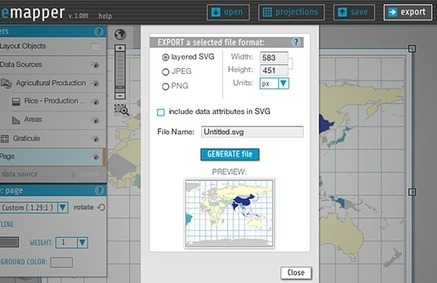
Robin Good: Indiemapper is a web-based application that allows you to create static, thematic maps from geographic data by bringing the best of traditional cartographic design to internet map-making.
It requires no login or registration and you can start to use it immediately.
Images can be exported in a variety of formats, including layered SVG, PNG, JPG an editable AI (Adobe Illustrator) formats.
Robin Good: You have probably already seen a few of the outstading doodle animated videos done by Jorn Nielsen, the king of this art, in some notable clips from RSA called RSA Animates.
These videos are really fantastic, as the unfolding illustrations and characters keep you engaged and focused throughout the clip.
I would certainly recommend this type of video presentation to anyone who has a difficult concept to illustrate or the need to promote a concept, an idea or a product in a way that sticks out from the rest.
And while I would blindly recommend Jorn's work, not every publisher or marketing department can easily afford that level of quality and artistry.
As an alternative to those who may have a tighter budget Seallamations.com may present itself as an promising alternative.
I don't know yet what their pricing is on these doodle videos, but it is certainly good, for all parties involved there is more than one option to look into.
If you find out more, on services, resources and tools that can help you create great doodle animated videos, do not hesitate to let me know.
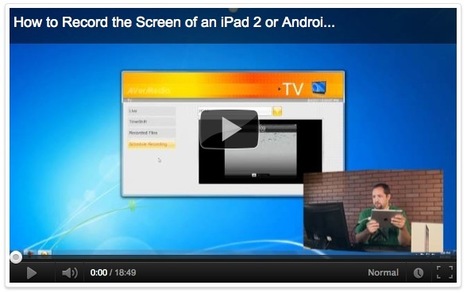
Robin Good: Here is a truly well prepared illustrated guide to record your screen on your iPhone or iPad.
"This detailed guide describes the various options that will help you record movies (screencasts) of your iPad or iPhone screen. You can use it for capturing app demos, game walkthroughs and more."
Amit Agarwal of Digital Inspiration, has done an excellent research and curation job in bringing together the very best tools, resources and video tutorials that clearly explain how to record the screen on your favorite smartphone.
This guide includes six alternative solutions, all clearly explained by an accompanying video. Very useful.
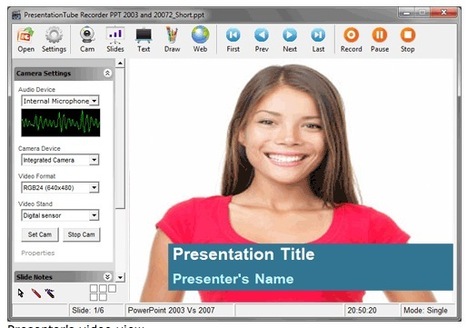
Robin Good: PresentationTube is a Windows PC software plus a web-based service which allows you to record your own screen, add synched voice-over and publish it online.
Key features include:
Record your voice in sync with slides
Record your webcam video
Upload support for PowerPoint files
Upload support for video files in .wmv, .flv, or ,avi
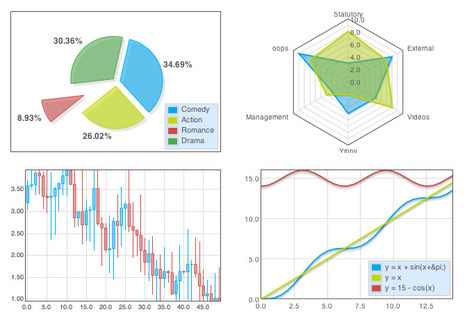
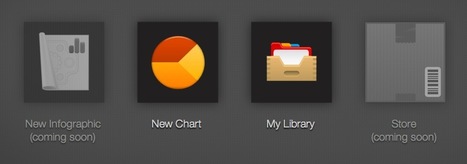
Create professionally-looking interactive graph charts (and soon also full infographics) with the best tool and easiest interface available out there.
Infogr.am makes it as easy as it can possibly be the creation of charts that will always look great and effective no matter what your design skill level is.
You simply choose the type of graph you want (bar, line, pie, matrix) to create, edit the existing data with your own, and you are ready to go.
Each chart is designed following some basic information design principles, allowing data to be easily read and for the chart to look very credible and "professional".
Also: each chart created with Infogram can be easily embedded on any web site, and customized in size and colors used.
Infogram integrates an online library where to save your completed work, and an upcoming online store.
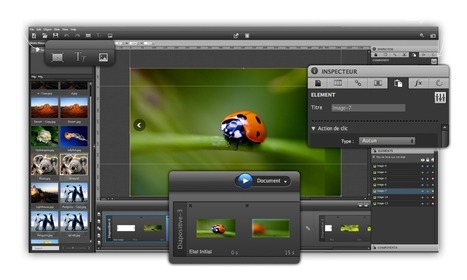
From the official press release: "Aquafadas MotionComposer simplifies Flash and HTML5 creation by generating interactive web content in Flash and HTML5 at the same time.
MotionComposer you can create your own animations and interactive objects without writing a single line of code. Just combine pictures and texts in MotionComposer’s user interface, and have them animated automatically through ready-to-use transitions.
MotionComposer is an easy-to-use authoring tool, built on familiar and user-friendly concepts such as slides, states, and actions.
MotionComposer, makes it easy to create custom banners, animated buttons or dynamic additions for websites and blogs."
Key features:
No coding required.
Simple user interface.
Rendering of Flash® and HTML5 in a single step.
Publish content to any computer, smartphone, and tablet, including iPhone and iPad.
Smart fallback switches to HTML5 when Flash® is not supported, with close to 100% fidelity.
Robin Good: Slidevana is a set of editable Keynote slide templates that allows anyone to put together professional-looking presentations without needing to be a graphic designer.
Key features include:
- 130 editable slide templates
- templates for statistical graphs and charts
- easy to edit and customize each slide
- free lifetime updates
- 100% satisfaction-guaranteed - get reimbursement if you are not happy with it
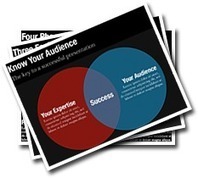
Robin Good: If you are looking for quality PowerPoint presentation templates, PresentationBundle.com may indeed have what you need.
PresentationBundle.com offers over 100 editable slides, process diagrams, and organization charts, Gnatt charts, People Silhouettes, Puzzle Diagrams, and 3D Spheres to edit and use directly in your presentations.
The presentation bundle slides are displayed in a resolution of 16:9 and 4:3 and are compatible with both PowerPoint 2007 as well as PowerPoint 2010 versions running Windows 7, Windows Vista and Windows XP.
Robin Good: If you consider, like I do, "infographics" as visual presentation tools, I strongly suggest you to browse through this excellent slideshow by Robin Richards, which provides an overview of why infographics are important, gives a glimpse of their history, application and creation and gives a good insight on what makes them truly effective.
The secret key is in "using data" to tell a story, and NOT to paint a colorful poster of cute statistical charts.
Robin Good: TargetMap is a free web service that allows you to create and customize professional-looking data-maps with any country or area in the world.
Maps created with TargetMap (satellite, physical, hybrid, etc:) can utilize excel-formatted data, can be color-coded and customized manually, or specific data can be input in them.
The user can also leverage existing public maps for the creation and customization of new ones.
Final maps can be exported as images, embedded in your web site or blog or shared directly to Facebook and Twitter.
Three options are available for your maps: shareable, not shareable and private/business. The first two options are free and the third one starts at $49/month.
Free shareable maps do not support the zip code field.
To get content containing either thought or leadership enter:
To get content containing both thought and leadership enter:
To get content containing the expression thought leadership enter:
You can enter several keywords and you can refine them whenever you want. Our suggestion engine uses more signals but entering a few keywords here will rapidly give you great content to curate.


 Your new post is loading...