Robin Good: Easel.ly is a new web app which allows you to create, edit and publish your own infographics.
Easel.ly makes it easy to add visual, icons and graphic elements by providing a rich library of ready-made elements that can be dragged and dropped on your infographic.
Infographics are created by selecting a ready-made template which can be edited and personalized in every possible aspect.
You can also upload your own images and save the final work in your preferred format among JPG, PNG, PDF and SVG.
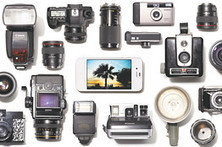
Robin Good: If you are an iPhone user here is a uniquely useful article from the Wall Street Journal, providing lots of tips, resources and advice on how to snap up great pics with your iPhone camera.
This mini-guide lists some very useful apps, tools and techniques that can be put immediately to good use.
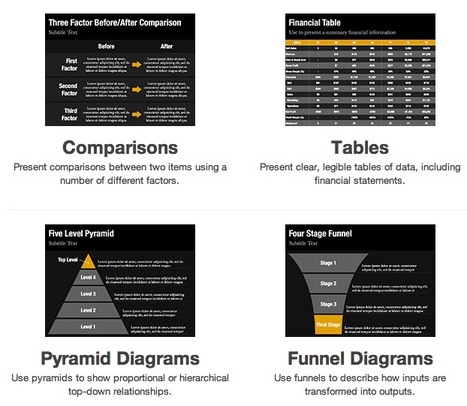
Robin Good: Slidevana has just released its full set of over 150 slide templates for PowerPoint (Mac and PC).
The Slidevana templates collection (which was available until now only for Keynote for Mac) allows anyone who does not graphic design skills to assemble professional-looking presentations by editing directly the content of the sample templates provided in this collection.
While I am not commercially associated with Slidevana, I can only recommend their product as it delivers on its promise, it's fairly priced and it can really save you a lot of time.
In addition, if you are not fully satisfied you can ask for a full refund, and, from my own experience, their customer support service is very good.
Robin Good: Projectorfy is a new iPad app which allows you to engage participants at a live event by running Tweetwalls, polls and public announcements on the event official screens.
Create live polls that attendees can vote for using their mobile device and see the results projected live during the event.
Projectorfy can work with TV screens, projectors, or computer screen displays as long as they have they are compatible with one of these types of video signal:
Composite Component VGA HDMI
Resolutions supported: 640 x 480 720 x 480 1024 x 768 1280 x 720 (720p) 1280 x 1080 (1080i)
Robin Good: If you are looking for a map of any part of the world that you can freely adopt, customize and use for your online project, the maps.stamen.com is now available online.
You can call up any location on the planet and select between three different map styles:
a) Terrain (USA only)
b) Watercolor
b) Toner
"maps.stamen.com, the second installment of the City Tracking project funded by the Knight News Challenge, is live.
These unique cartographic styles and tiles, based on data from Open Street Map, are available for the entire world, downloadable for use under a under a Creative Commons Attribution 3.0 license, and free.
Robin Good: Thanks to Alessio Palmieri who kindly suggested to give a look to it, here is another excellent alternative for anyone who is looking for a highly portable, battery-powered sound speaker.
The X-Mini II Capsule is a unique superportable speaker, which can fit in the palm of your hand while producing a very good and powerful sound.
Not only. The X-Mini Capsule has a battery life of at least 10 hours and it can also be daisy-chained to other X-Mini Capsule speakers to creare an even more powerful sound system.
Product Dimensions: 23.6 x 17.3 x 23.6 inches
Price starts at around $20.
Please note: Everybody seems to love them at first, but if you have enough time to read the actual customer reviews, you will find out that durability, battery issues and quality of construction may come to disappoint you.
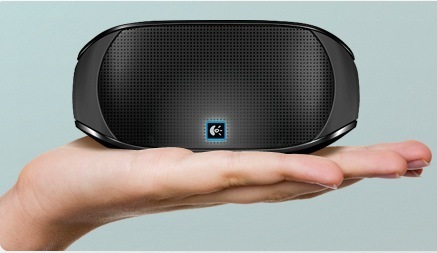
Robin Good: The new Logitech Mini Boombox is the ideal portable speaker to bring with you if all you need is portability, good sound, ease of operation and affordability.
The Logitech Mini Boombox has them all.
Among its key features is the ability to connect to most any type of device, including laptops, smartphones, tablets and any Bluetooth enabled device.
The internal integrated auto-recharging battery is declared to last to up to ten hours of music playback.
All features and controls can be commanded via a touch interface.
Robin Good: Zoom.it a free service from Microsoft allows you to create an infinitely zoomable image by simply providing a link to a high resolution image already posted on the web.
Once you provide the link Zoom.it takes over and gives you back both a link you can share anywhere as well as an embed code which allows you to post the "zoomable" version of your selected image inside your web site or blog.
"Zoom.it converts your image to the Deep Zoom format, which lets you smoothly and efficiently explore the whole image, no matter how large. Check out Deep Zoom Studio for examples of this technology in action."
You can also submit web site pages or PDFs. Image file formats supported include JPEG, PNG, SVG and TIFF.
The service is free to use and requires no registration.
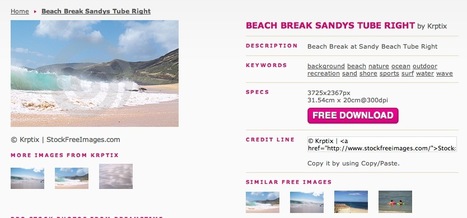
Robin Good: If you are looking for a large collection of good images, including many stock photography shots that you can use for your own blog or website, I suggest you give a look to StockFreeImages, which offers hundreds of thousands of images at no cost.
Although of varying quality, all images are in high resolution, immediately downloadable, and are all provided with full credit attribution info ready to be copied and pasted on your site.
From the official site says: "Our free images can be used and modified for websites, web banners and headers, advertisements (flyers, brochures, posters), powerpoint presentations, book covers/pages, CD covers, smart phone applications, etc.
You will be granted worldwide rights for unlimited projects and up to 10,000 printed copies (unlimited online)."
"All images downloaded from Stockfreeimages are licensed under the Royalty Free license which means you license the image once and then you can use it as many times as you like, with just a few restrictions.
In other words, there are no license fees.
At this time StockFreeImages provides its content for free, in exchange of a link back to our website (where possible). "
N.B.: According to what is written on the About page of the site, all of the images available on tis site have been "donated" by their respective authors.
Robin Good: Snag.gy is a new image capture and hosting tool, which allows you to use the standard screen-capture commands of your computer to grab any image and to post them on a dedicated web URL in one click.
Not only.
Snag.gy also provides a simple editor, to crop, edit and modify your screenshot before and after having being pubished.
Snag.gy also accepts image uploads from your locally saved files as well from other webistes.
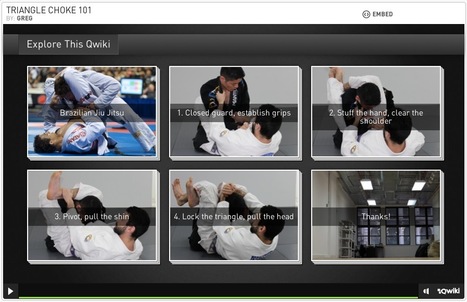
Qwiki is a web-based service which allows you to create a presentation made up by images, videos and your own video-voice over.
In Qwiki you act as the "presenter", and occupy a small video window on the top right corner of each show. From there you can introduce any topic, give any explanation or answer any question you may have been asked.
Each "slide" in the show can also be accompanied by additional images, music and videos that may help the viewer explore the topic in greater depth.
Robin Good: Maxgif is a simple web app that takes the URL of any animated GIF file and converts it into a self-standing web page, where your selected GIF is displayed over as a full-screen image.
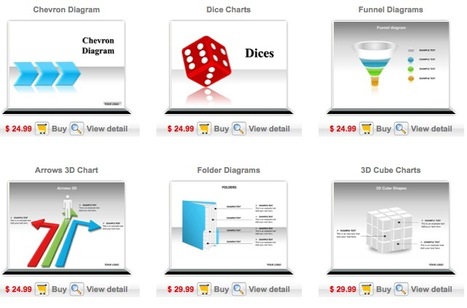
Here you can find a wide variety of professionally designed PowerPoint templates / slides that can be purchased online and then edited and personalized on your computer.
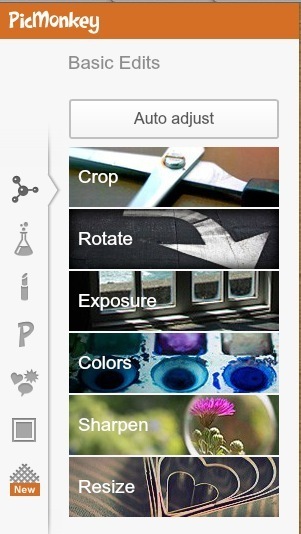
Robin Good: After Google has closed its excellent image editing tool Picnik, a new service has appeared that has all of the characteristics to replace effectively the now defunt Google service.
PicMonkey is a feature-rich, free online photo editor that works right in your browser; no downloads are necessary.
Robin Good: Vix.tv is a service that works in tandem with Microsoft Kinect and your presentation to make it possible for you to appear in front of the content you are presenting.
The Kinect webcam captures your image as you present and overlays it on the presentation content you are delivering to your online audience.
Works with any existing content: PowerPoint, desktop software, web pages, Prezi... anything.
Key features:
Download mp4 video
Detailed analytics
Scene-by-scene navigation of vix
Audience viewing on any browser or mobile device
A free basic account includes 50 hours of private hosting per month, video overlay, and quality set at 360p. Paid accounts offer more hours and higher quality.
Robin Good: Smart Dot is an "appcessory" for your iPhone which plugs in your headphone jack.
Smart Dot works as a laser pointer, remote mouse and trackpad controller making it an excellent tool for presenters.
"By combining a laser pointer and Smart Phone, ‘Smart Dot’ is an exciting new product that allows the use of both a physical and virtual laser pointer simultaneously."
In fact, by downloading the free ‘Smart Dot App’ for iOS and Android OS, the actual laser pointer and a virtual mouse pointer on the screen can be shown at the same time.
When not attached to your iPhone the Smart Dot laser pointer can be inserted into the supplied stylus for safe keeping between presentations, and it can provide a useful tool for drawing or writing on your iOS devices.
Robin Good: Google Search Stories Video Creator is a free web service which allows you to specify up to seven queries that utilize one among Google search engines, and which then creates a video clip of those searches.
Each one of the searches can be run against a specific Google search engine between Google News, Google Web Search, Google Blog Search, Google Maps, News, Products and Books.
Once the video is ready and you are fine with it you can upload directly to your YouTube channel.
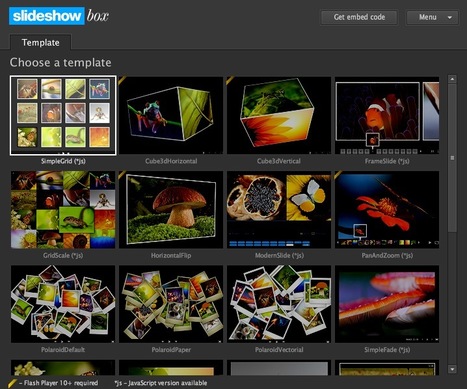
Robin Good: SlideshowBox is an elegant and well-designed collection of stylish HTML and Flash slideshow gallery templates that allow you to create, customize and publish photo slide shows by using your favorite RSS image feed or XML source.
"24 Flash and JavaScript - based on jQuery - slideshow templates with background music."
"SlideshowBox includes 12 HTML5 (based on JavaScript and jQuery) slideshows and 24 Flash slideshows supported by all Adobe Flash CS versions.
The HTML slideshowsare available as embeddable SWF objects(they require Flash Player 9+) and someof them as pure JavaScript/jQuery slideshows (iPhone/iPad friendly)."
You can add photos to your SlideshowBox slideshows using standard XML files or by using Flickr, Picasa, Photobucket and SmugMug photo feeds (RSS 2.0 feeds).
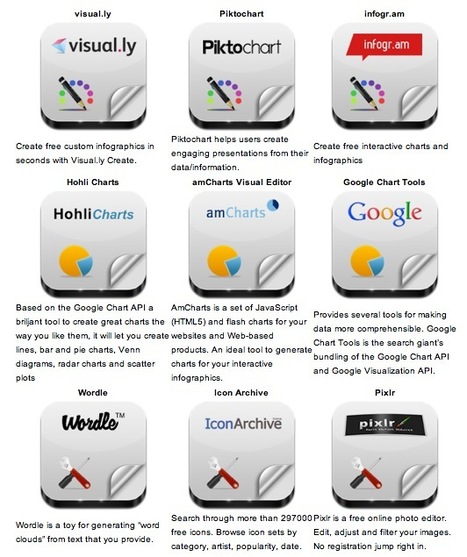
Robin Good: Here is a handy short guide to nine free infographic creation tools that can be utilized to create enticing visuals, word charts and data-based infographics without having special technical skills.
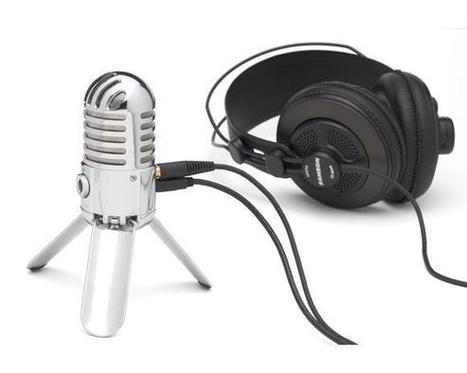
Robin Good: The MeteorMic by Samson is a supercool looking high-quality desktop condenser USB microphone that can be utilized to record high-quality voice for interviews, presentations or voice overs for video clips.
Key specifications:
Large (25mm) diaphragm condenser for rich audio recording
Cardioid pickup pattern
Smooth, flat frequency response of 20Hz - 20kHz
CD quality, 16-bit, 44.1/48kHz resolution
Fold-back leg design provides optimal mic positioning
Durable chrome-plated body
Plugs directly into any computer with a USB input, no drivers required
Compatible with most computer-based digital audio workstation software
Stereo 1/8-inch headphone jack for no latency monitoring
Headphone volume control with microphone mute switch
Includes USB cable and carry pouch
Microphone mute switch
Integrated mic stand adapter into the bottom so you can mount the Meteor Microphone on a boom or desktop stand.
Robin Good: I have had a bit of hard time myself believing the prices I was reading on the home page of Kozzi.com. This online image library, first of all gives you 365 high-quality, high-resolution images to download at no cost. Just hop over on their site and you can a top pick download without needing to pay anything.
Then, if Kozzi has tickled your fancy enough, you may want to consider signing up for a Designer Plus account, and for 1.6$/month you can now download 25 high quality images a day. Five bucks a month give you access to 75-a-day downloads, and for some 11.4€/mo you can downoad up to 250 images a day.
I know, it's hard to believe, but I have gone on the site, registered myself and everything worked as promised. I may say that the collection is not obviously as broad and rich as some of the popular commercial online stock libraries, but I think that the huge difference in price more than justifies it.
Kozzi provides some great, beautiful images, as well as vector clip art, and video clips. For each image it provides detailed metadata and separate downloads for all resolutions from 441 X 294 to a
Thank you for the review of Kozzi.com. Educators and bloggers alike have discovered Kozzi.com to be the ultimate professional resource for images.
Not only do we have images now but we also have Video as well. Kozzi.com is currently traveling the globe to bring you the best stock photography and video that we can provide.
Our team just returned from the following places and you wil see lots of new stock form them.
Again thank you for spreading the Kozz! We are excited to bring the best for free or minimal cost if you need a lot of files.
James
arumbai's comment July 2, 2012 3:31 PM
Kozzi changed their price policy. So what is written in this article about their prices is not valid anymore. Now you have to buy credits and 1 image of reasonable resolution is now costing 2 credits = 2 USD. Kozzi has become just one of many photo brokers with almost equal pricing. Kozzi lost absolutely their advantage here.
Thank you Arumbai for this very useful update. It was expected that Kozzi would soon steer away from their initial approach, which was just an innovative approach to get more people to pay attention and try out their offer.
Robin Good: Mondopad is a giant multi-touch 55-inch tablet from InFocus, capable of full HD resolution (1920x1080) which integrates a 720p videocam, a microphone array, 50 watts speakers, and a full Intel i5-processor CPU unit that hangs discretely behind the screen.
The Mondopad integrates a suite of apps dedicated to presenting, annotating and collaborating online plus access to the full Windows 7 Pro and Office 2010 suite of apps.
To get content containing either thought or leadership enter:
To get content containing both thought and leadership enter:
To get content containing the expression thought leadership enter:
You can enter several keywords and you can refine them whenever you want. Our suggestion engine uses more signals but entering a few keywords here will rapidly give you great content to curate.


 Your new post is loading...






















Easel.ly rruns a close second to Piktochart- both are very easy to use and effective infographics tools.